Software for Trades & Service Businesses
Service businesses often begin with a practical collection of tools: a calendar for appointments, contacts on a phone, quote documents, invoice software, and a spreadsheet that tries to explain what has been paid. Custom software becomes useful when those records need to behave as one workflow instead of several disconnected copies. FullStack Dev KZ has built this kind of operational product in TradesMate, while also helping teams decide when a tailored system is the better path.
Relevant when you are
- Independent tradespeople coordinating customers, work, and documents
- Small service teams that need shared operational visibility
- Businesses replacing spreadsheet-led job administration
- Existing platforms adding a practical field or mobile experience
One job can create records in five different places
A customer request can start in a call or message, become a diary entry, produce a quote, turn into scheduled work, and finish as an invoice and payment. When each step lives in a separate tool, names, addresses, dates, totals, and status changes are copied repeatedly. The problem is not that every spreadsheet is bad. It is that the business has no dependable connection between the customer, the work, and the money.
A service business management system can give these records a shared structure. A customer record can lead to a job. The job can carry its schedule and status. A quote can use the same customer and work context, then become an invoice without rebuilding the document. Payments and costs can update the operational view without another reconciliation sheet. The result is not automation for its own sake; it is less duplicated administration and clearer responsibility.
- Customer details remain beside the relevant work
- Scheduled jobs have a visible status and accountable owner
- Quotes, invoices, costs, and payments retain their relationships
- Documents can be produced from structured business records
Mobile software should support the moment the work happens
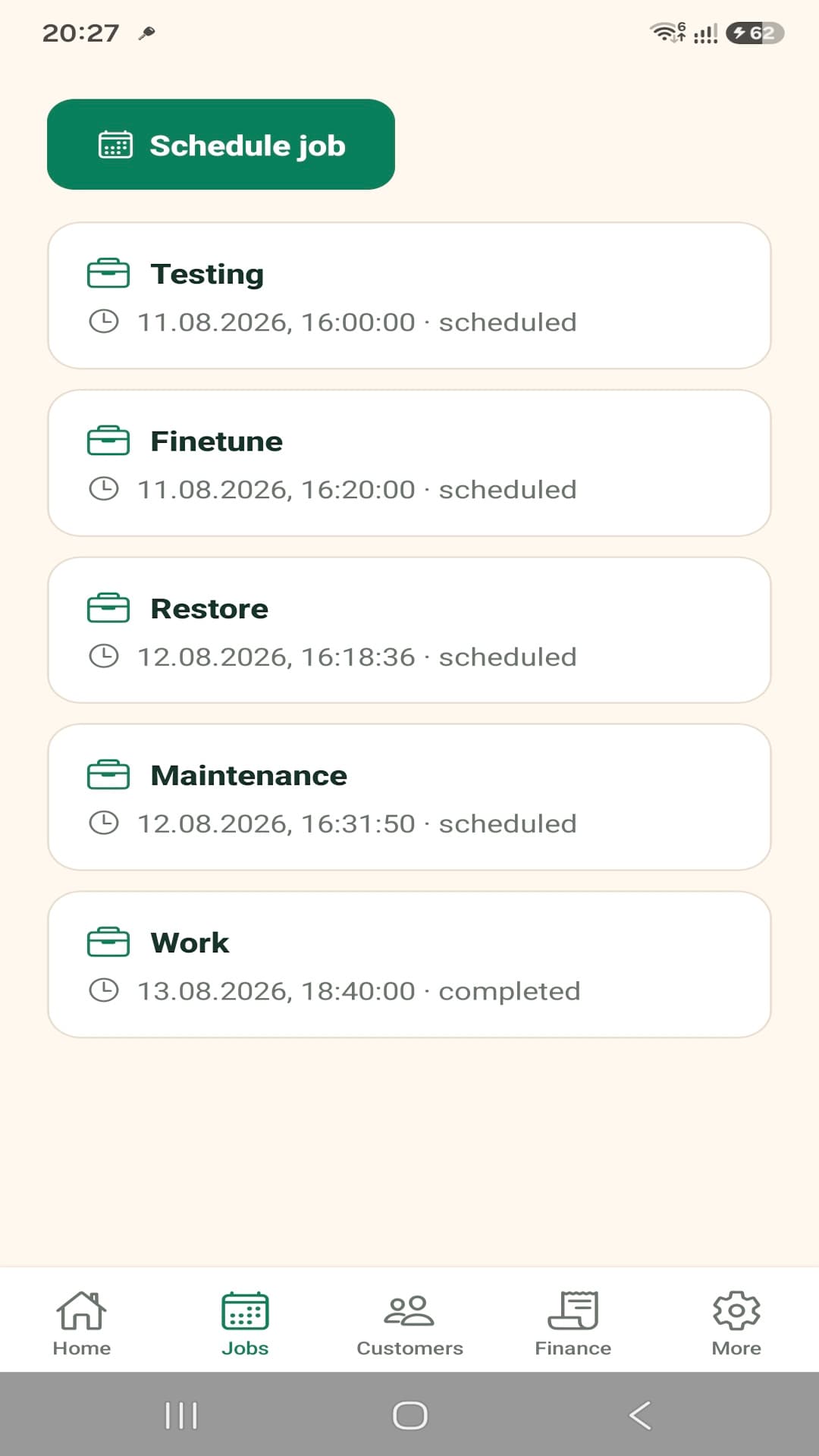
Trades and service work rarely stays behind a desktop. A useful mobile application can show the next jobs, provide customer contact details, expose the current schedule, and keep quote or invoice information available when someone is with the customer. The interface should prioritize quick operational actions rather than reproduce a large office dashboard on a small screen.
TradesMate demonstrates that approach with Android workflows for jobs, customers, documents, payments, expenses, reminders, and business reporting. The exact requirements differ by business. Some teams may need job photos, specialist forms, approval steps, or an integration with an established accounting system. Those are assessment questions, not features to assume. A custom job management application should be scoped around the actual work pattern and the existing systems that must remain authoritative.
- View upcoming and completed jobs
- Reach customers through the contact record
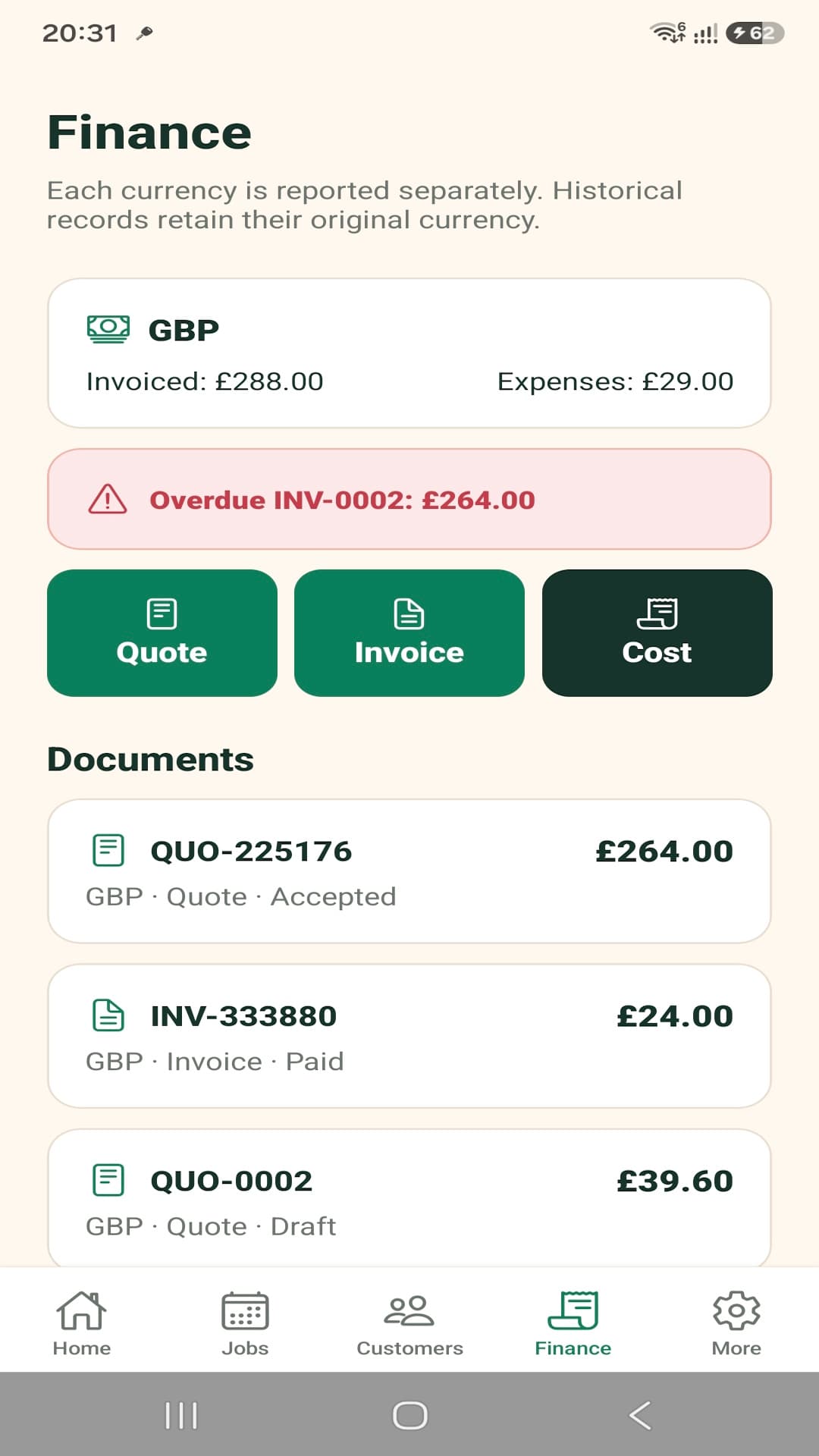
- Access quote and invoice information in context
- Record operational updates while the details are current
The backend turns useful screens into an operational system
A mobile screen is only one surface. Account access, team roles, customer and job records, document numbering, calculations, subscriptions, notifications, exports, and reporting need consistent rules. A backend and API provide that shared foundation, whether the business uses only a mobile app today or later adds web administration and customer access.
The architecture should keep financial and operational rules authoritative while giving the mobile product fast, understandable states. It should also leave clear boundaries for integrations. An accounting connection, payment service, or existing CRM may be valuable, but its feasibility depends on available APIs, data ownership, security, and the direction in which records should synchronize. That evaluation belongs in discovery rather than in a blanket integration promise.
A connected customer-to-payment workflow
The strongest opportunity is often the relationship between records. Each step can use information established earlier while still allowing the business to control approvals and exceptions.
- 01Create or select the customer and keep the contact context in one place.
- 02Create the job, assign its date and status, and make the schedule visible.
- 03Prepare a structured quote using the customer and work details.
- 04Turn approved work into an invoice without rebuilding the record.
- 05Record payments and costs so outstanding balances and performance remain clear.
A practical system can grow without becoming one giant screen
The product can separate focused interfaces while sharing the same business rules and data.
- 01Mobile field workflow
- 02Shared backend and API
- 03Business records and documents
- 04Optional web administration and integrations
TradesMate
TradesMate is the real product evidence behind this industry page. It connects customers, scheduled jobs, quotes, invoices, payments, expenses, reminders, team access, and reporting in an Android business application backed by shared services.
Explore TradesMate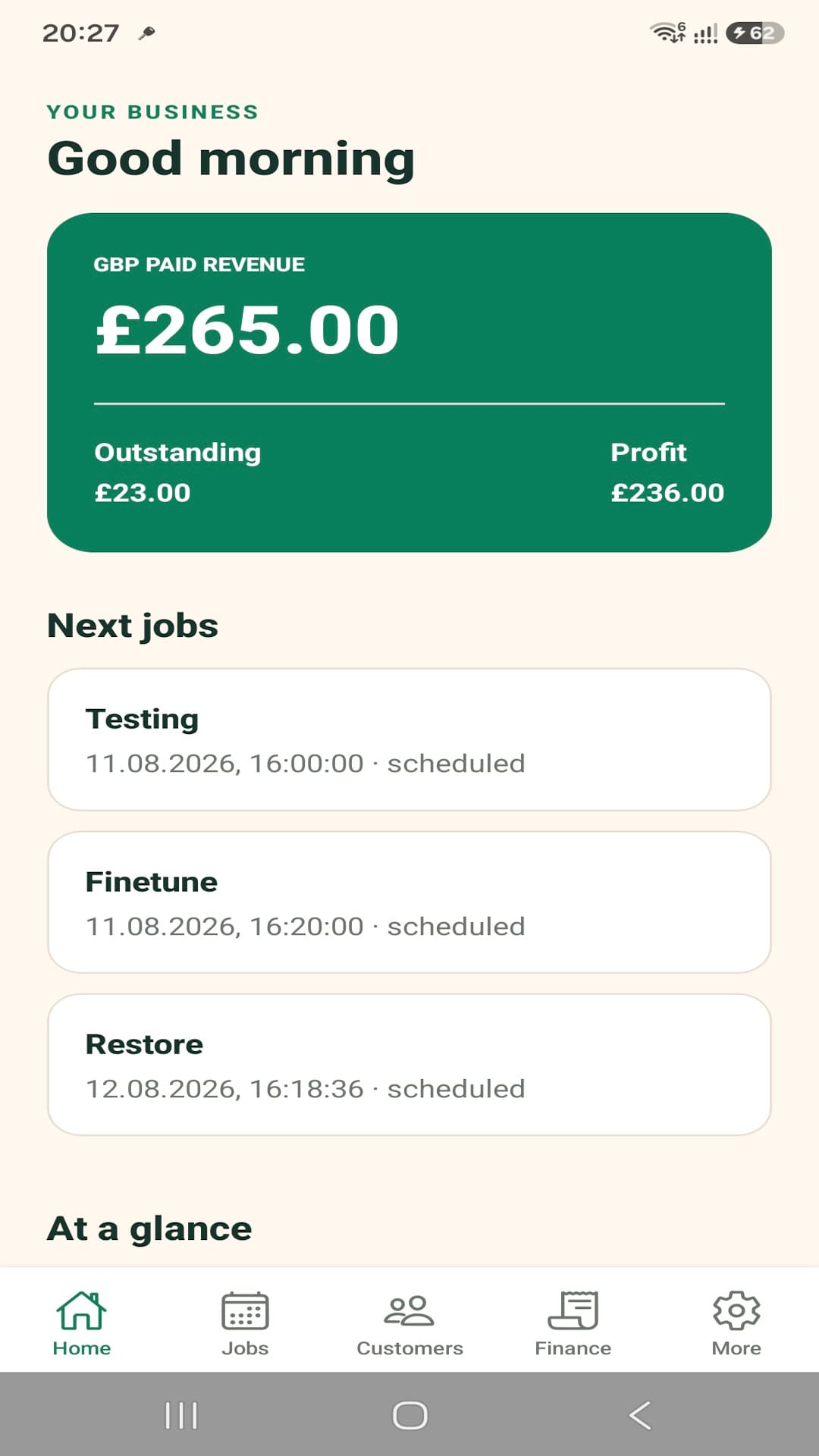
Choose the path that matches the requirement
The existing product and custom-development paths serve different needs. Neither should be hidden behind the other.
Use the existing TradesMate product
For a small trade or service business whose needs match the product, the internal TradesMate case study explains the current workflows and links onward to the official product destination for product-specific information.
Build around a different operating model
A business with specialist documents, different roles, legacy data, approvals, or existing integrations may need custom software. The first step is to map what is genuinely distinctive and which commodity functions should remain with established tools.
Related software decisions
Questions about this software context
What software can be customized for a trades business?
Customer records, job scheduling, statuses, quotes, invoices, costs, payments, documents, reminders, team access, and reporting can be connected where the business case supports it. Scope should follow the actual workflow rather than a generic feature checklist.
Can job, customer, and invoice workflows be connected?
Yes. A shared data model can relate the customer to the job and its documents, reducing repeated entry. Approval rules, document states, and accounting responsibilities still need to be defined during discovery.
Can field staff use the system from mobile devices?
Yes. Mobile applications can expose the focused tasks staff need away from a desk, such as schedules, customer contact, job details, status updates, and documents. The exact offline and device requirements should be assessed.
Can custom software integrate with existing accounting or business systems?
Potentially. Integration depends on the existing system's API, authentication, supported data operations, rate limits, and ownership rules. Those constraints should be reviewed before an integration is promised or estimated.
Connect the workflow that makes your service business run
Share how customers, jobs, schedules, documents, payments, staff, and current tools work today. We can identify whether an existing product, focused integration, or custom system is the sensible next step.